


Blocking someone on Snapchat is a straightforward process that allows you to control your interaction within the app. Whether you’re looking to maintain your privacy or simply wish to avoid unwanted messages, Snapchat offers a user-friendly way to manage your contacts. Below, we provide an easy-to-follow guide for blocking (and if necessary, unblocking) someone on Snapchat.
How to Block Someone on Snapchat
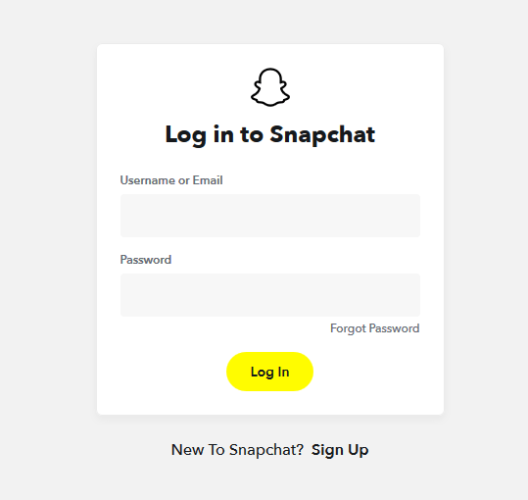
Step 1: Open Snapchat and Log In
Begin by opening your Snapchat application and logging in with your credentials. It’s an essential first step towards managing your contacts.
Step 2: Go to the Chat Screen
Swipe right from the camera screen to land on the chat screen where all your conversations are housed.
Step 3: Find the Person You Want to Block
Scroll through your chat list until you find the user. If you rarely chat with them or have never done so, use the search function to locate their name.
Step 4: Access Their Profile
Tap on the user’s Bitmoji or profile icon to open their Snapchat profile.
Step 5: Block the User
In their profile, tap the three dots or gear icon in the upper right corner to access the settings for this user. Then, select “Block” from the menu. A confirmation prompt will appear; simply agree, and the user will be effectively blocked.
Step 6: Confirm Your Decision
Snapchat will ask you to confirm your action. Upon confirmation, the person will be unable to contact you or view any of your activity on the platform.
How to Unblock Someone on Snapchat
Step 1: Open Settings
Return to the Snapchat home screen and tap your profile icon in the top-left corner. Then, tap the gear icon in the top-right to access your Snapchat settings.
Step 2: Find Blocked Users
Scroll down to the ‘Account Actions’ section and select ‘Blocked.’ This list contains the details of everyone you’ve previously blocked, and it’s where you will locate the user you wish to unblock.
Step 3: Unblock the User
Locate the person’s name and tap ‘Unblock’ next to it. This will restore their ability to contact you and view your stories.
Things to Remember
Be Sure of Your Actions
Blocking is a decisive step. Only do so when you are certain that you do not want further contact with the person.
Visibility Limitations
Blocking someone does not necessarily prevent them from viewing your public Stories or content shared with mutual friends. Consider making your profile private if needed.
Privacy Settings
Explore the range of privacy settings in Snapchat to further control who can interact with you and see your content.
Reporting for Serious Issues
In the case of severe harassment or threats, consider reporting the user to Snapchat or the appropriate authorities.
Regularly Review Your Blocks
Periodically review your list of blocked users to ensure that it aligns with your current interaction preferences.
Safety and Well-being
Blocking is just one tool in a comprehensive kit for staying safe online. Always look out for yourself and others and never hesitate to utilize the resources available, whether it’s blocking someone, modifying your settings, or seeking the help of official channels. Your digital peace is as important as any other form of well-being, and you have the support to achieve it within your hands.