
Connect with us

Online earning

How to Create a Wise Account From Pakistan (2026): What Works, What Doesn’t, and Safer Options

Published

on

Create Wise Account From Pakistan

Trying to open a Wise account from Pakistan can feel like pushing on a door that looks unlocked, but won’t open. In February 2026, Wise supports sending money to Pakistan and paying out in PKR, yet Wise personal and business accounts are not officially available for Pakistan residents because Pakistan is not a supported country for sign-up.

That difference matters. It changes what you can do legally, what usually fails during verification, and what risks your money if you force it.

This guide gives you three outcomes: (1) what you can do with Wise without a Wise account in Pakistan, (2) what tends to break during the sign-up process and why, and (3) safer alternatives that work from Pakistan without putting funds at risk. Rules change, so always confirm inside the Wise sign-up flow and Wise support pages before paying anyone for “setup help.”

Can you create a Wise account from Pakistan in 2026? What Wise actually allows
Realistic photograph of a young Pakistani freelancer in his mid-20s at a home office desk in Lahore, holding a smartphone with a blurred international money transfer app screen, showing concentration and slight frustration. Someone in Pakistan checking a money transfer app sign-up flow on a phone, created with AI.

Wise can still be part of your Pakistan money plan, but only in specific ways. The easiest way to avoid confusion is to separate three concepts that people often mix together:

  1. Sending money to Pakistan from a supported country
    If the sender lives in a country Wise supports, they can sign up and send PKR to Pakistan.
  2. Receiving money in Pakistan without a Wise account
    A receiver in Pakistan can get money to a local bank account. They don’t need to create a Wise profile to receive a bank transfer payout.
  3. Opening a Wise account as a Pakistan resident
    This is where most people hit the wall. As of February 2026, Pakistan residents can’t officially create Wise personal or business accounts because Pakistan isn’t available as a supported residence during sign-up.

Why do services restrict countries? It usually comes down to licensing, compliance, and risk controls. Financial companies must follow “know your customer” rules and local regulations. If a country isn’t supported for onboarding, the app will often block sign-up or fail verification.

Wise also supports PKR as a currency for transfers, and Wise markets mid-market rate pricing. Still, currency support isn’t the same thing as resident account availability. For a quick reference on how Wise describes its pricing model, see Wise fees and pricing.

Before you spend hours testing workarounds, verify these in the Wise app or website sign-up flow:

  • Country of residence options (Pakistan usually won’t be selectable)
  • Supported ID documents for the country you select
  • Phone number acceptance (format and country)
  • Personal vs business availability for that residence

If you can’t select your true country of residence, stop there. Anything else increases the chance of failed checks later.

What you can still do with Wise for Pakistan even without a Wise account

If your client, employer, or family member is abroad, they can often use Wise to send money to your Pakistani bank account. You only need standard bank details. You don’t need a Wise login, card, or Wise balance.

A simple flow looks like this: the sender signs up in their supported country, chooses Pakistan as the destination, enters your bank details, sees the total fee and rate before paying, then confirms the transfer. You receive PKR directly to your local account.

Transfer speed varies. Some routes arrive in seconds or minutes, while others take 1 to a few business days. Funding method matters, for example bank transfer vs card. In practice, the sender sees the ETA in the app before they confirm.

Why “PKR supported” doesn’t mean “Wise is available in Pakistan”

Think of “PKR supported” like a shipping company that delivers to your city, but doesn’t open new customer accounts there. Delivery is a product feature. Account opening is a compliance decision.

So yes, Wise can send PKR into Pakistan. However, you still may not be able to open a Wise account as a Pakistan resident. A common example is a freelancer getting paid by a US client: the client can send via Wise, but the freelancer still can’t pass the “country of residence” step for a Wise profile in Pakistan.

What works (and what it costs): the foreign company route for Wise Business
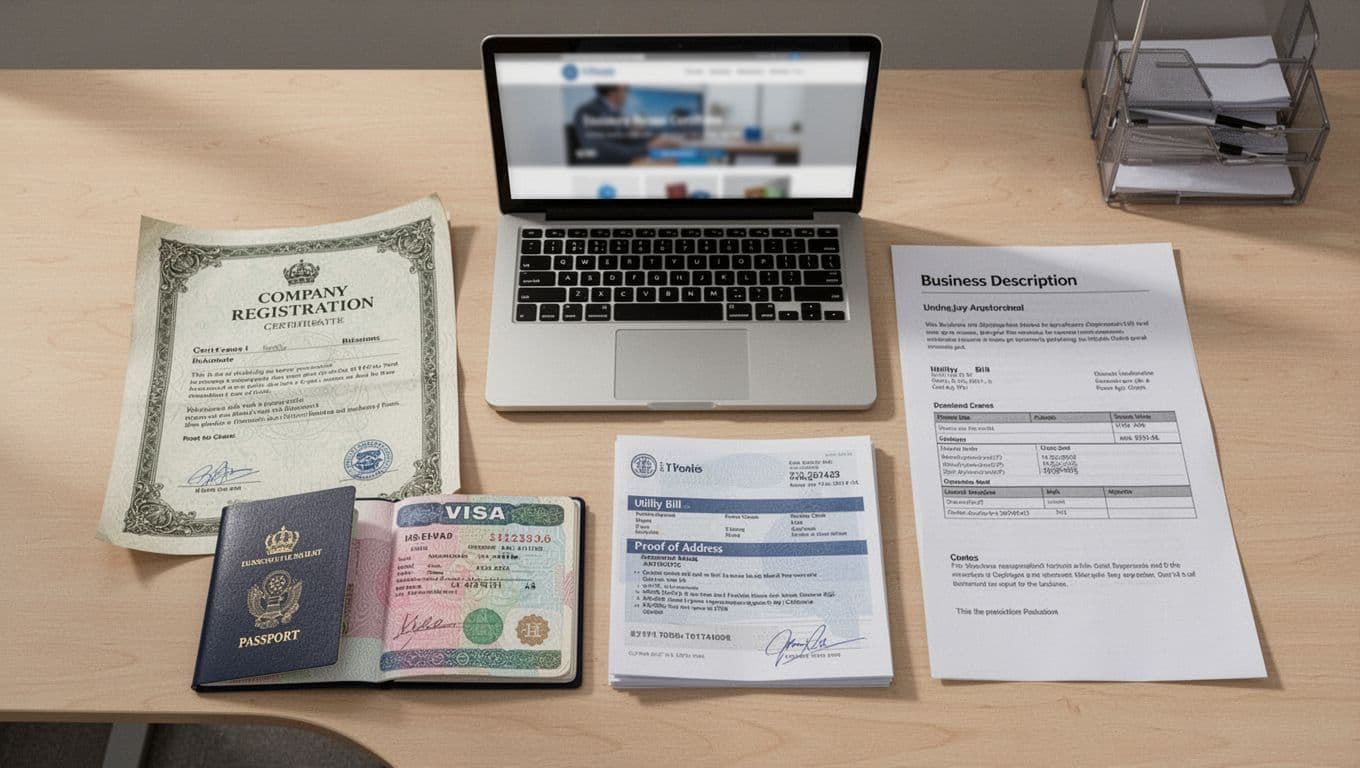
Photorealistic top-down view of neatly arranged business setup documents on a light wooden desk, including curled company registration certificate, opened passport to visa page, utility bill for proof of address, one-page business description printout, and laptop with blurred website homepage. Soft office lighting casts subtle shadows in a professional atmosphere with no people, readable text, or extra objects. Typical documents people prepare for business verification, created with AI.

For most Pakistan residents, the only path that sometimes works is not a “Wise Pakistan sign-up.” It’s a real business setup: forming a company in a supported country (commonly a UK Ltd or US LLC), then applying for Wise Business for that company.

This isn’t a trick. It’s a corporate account tied to a foreign-registered entity. Still, it only makes sense if you actually run a business, can document it, and can keep records clean.

Costs depend on the country and the service provider you use. In general, UK company formation is often cheaper to start than a US LLC, while the US route can come with higher ongoing requirements (for example, registered agent fees and possible tax filing needs). Also plan for ongoing costs like a legitimate business address solution and routine compliance paperwork.

Verification can take days. It can also take longer if Wise requests extra documents or clarifications. If your goal is simply receiving salary or freelance payments, compare this option against simpler routes first. The Wise Pakistan content hub also summarizes ways to get paid locally, which can help you map alternatives before you spend money on formation: best ways to receive international payments in Pakistan.

A clean, compliant flow usually looks like this:

  1. Form a company in a Wise supported country (UK or US are common picks).
  2. Set up a real trading address solution that you can prove.
  3. Prepare director ID and personal proof of address documents.
  4. Apply for Wise Business using accurate company and owner details.
  5. After approval, start with small transfers and keep records.

Documents and setup details that usually make or break approval

Wise Business approval often depends on whether your paperwork tells a consistent story. The most common items you should be ready to provide include:

  • Company registration certificate (or equivalent formation document)
  • Proof of a trading address (not a PO box)
  • Director passport or government ID
  • Personal proof of address for the director (bank statement or utility bill style)
  • Clear business description (what you sell, who you sell to, typical invoice size)
  • A simple website or online presence that matches your description

A “trading address” is the place where the business operates from, or where it can be contacted for business activity. In plain terms, it’s an address you can defend with evidence. Some low-quality virtual addresses fail because you can’t prove control, or because they look like a mailbox farm.

If you can’t support an address with solid proof, don’t gamble. Either upgrade to a proper business address service, or pick a provider that supports Pakistan directly.

How to use the account safely after approval (test-first rules)

Once approved, act like you’re driving on a new bridge. Test it before you send a truck across.

Start with small amounts, then increase gradually as transactions clear. Keep invoices, contracts, and payment receipts in one folder. Also keep your activity consistent with what you told Wise during onboarding. If you described web design services, then random high-value electronics payments can trigger questions.

Wise may ask compliance questions, and reviews can cause delays. A hold of 1 to 7 days can happen during review, especially if volume spikes or details don’t match. That doesn’t mean you did anything wrong, but you should plan cash flow so a review doesn’t stop payroll or supplier payments.

What doesn’t work for most people in Pakistan (and what can get your account closed)

A lot of “how to make Wise work in Pakistan” advice online is really just advice on how to fail KYC checks faster. In 2026, account onboarding systems match your identity details across documents, device signals, addresses, and payment methods. When parts don’t line up, you either get stuck in verification or risk account restrictions.

The biggest problem is misrepresentation. If you claim a different residence than your real one, you can’t reliably support it with documents. Even if you pass an early step, later checks can still flag the mismatch. That’s when transfers may get delayed, reversed, or locked pending review.

Another common issue is expecting Wise features that don’t apply to Pakistan residents. For example, people try to order a Wise card to a Pakistan address. Wise generally won’t issue new cards for unsupported countries, even if you previously had a card elsewhere.

Finally, some people run business activity through personal-style setups. Mixing personal and business use can also create compliance friction because it blurs source of funds and purpose of payments.

Workarounds like VPNs, fake addresses, or borrowed IDs: high risk, low payoff

There’s no reliable evidence in the available research that VPNs, fake addresses, or “using a friend’s details” consistently works for Pakistan residents. Even when it seems to work for a moment, it often fails at verification, or it becomes a future closure risk.

Why? Because Wise and similar providers check identity documents, proof of address, name consistency, and transaction patterns. A VPN might change your IP address, but it can’t create legitimate documents that match your real life.

A safer sentence to remember is simple: if Wise isn’t available for your residence, pick a provider that officially supports Pakistan.

Red flags that trigger extra checks (so you can avoid surprises)

A few practical red flags show up again and again:

  • Mismatched names: Use the exact legal name across all accounts and documents.
  • Inconsistent addresses: Don’t mix addresses unless you can prove a real move.
  • Unreadable scans: Upload clear photos, good lighting, no cropped corners.
  • Unclear source of funds: Keep invoices, payslips, contracts, and bank trails.
  • Sudden large transfers: Scale up slowly and document why volume changed.
  • Business activity on a personal setup: Use the correct account type for the activity.

One small habit helps: treat every transfer like it could be audited later. Save the paperwork while it’s easy to find.

Safer options that work from Pakistan in 2026 (and when each one is the best choice)
Vibrant flat design illustration of three smartphones arranged in a triangle on a marble surface, displaying blurred icons of payment apps, surrounded by symbolic Pakistani rupee banknotes and coins in green tones, with a relaxed hand in the corner. Several payment app choices side by side, created with AI.

If your goal is simple, “get paid from abroad” or “receive family money,” you usually don’t need the Wise Business company route. Pakistan residents have safer options that are built to support them directly.

Here’s a quick comparison to help you choose. (Always re-check fees and availability, since they change.)

OptionBest forSpeed (typical)Tradeoffs to expect
PayoneerFreelancers, marketplace payouts1 to 2 business days to local bank (often)Fees, limits, extra checks for some payments
RemitlyFamily remittances to bank or cash pickupMinutes to a few daysFees can rise for faster delivery
Bank SWIFT transferLarge official payments, regulated trailsA few daysHigher fees, weaker exchange rates, paperwork
Western UnionCash pickup in urgent casesMinutes to same dayOften higher total cost, cash pickup steps
Skrill or XoomBackup routes when others failVaries by routeFees and limits can be higher

If you want a 60-second decision guide, use this: choose Payoneer when you get regular client or platform payments, choose Remitly for personal transfers, and choose SWIFT for large amounts where documentation matters most.

Payoneer for freelancers and marketplaces: when it beats Wise

Payoneer is often a better fit when you live in Pakistan and need predictable receiving options. It’s widely used for freelancer and marketplace payouts, and it supports withdrawals to Pakistani bank accounts.

The downside is cost and policy limits. Depending on your use, you may see withdrawal fees, currency conversion spreads, or account limits. Still, it’s usually less stressful than forcing a Wise sign-up that your residence can’t support. For a Pakistan-focused overview, see Payoneer account in Pakistan guide.

If you earn online, pairing the right payment method with a real income plan matters. This guide on top proven strategies for earning online in Pakistan can help you align payments with how you actually get clients.

Remitly and banks: the safest path for family transfers and large official payments

Remitly is built for remittances. It’s popular for sending money to Pakistan to a bank account or for cash pickup, with tracking inside the app. The tradeoff is simple: faster delivery usually costs more. If you want route details and what to expect, start with Remitly in Pakistan availability and fees.

Banks are slower, but they’re the most conservative choice for large, official payments. A SWIFT transfer creates a clear audit trail, and many employers prefer it for compliance. On the other hand, banks can charge more, and the exchange rate may be less favorable.

If you want maximum safety for a large payment, do this: ask the sender for a full fee breakdown before sending, send to your own bank account in your legal name, and keep the invoice or contract attached to the transaction record.

Conclusion

In February 2026, Wise personal and business accounts are not officially available for Pakistan residents, even though Wise can send money to Pakistan in PKR. The foreign company route for Wise Business can work for real businesses that can document everything, but it comes with costs, paperwork, and compliance reviews.

Most shortcut tactics, like VPNs and fake addresses, aren’t worth the risk of delays or closures. Instead, take a safer path: confirm eligibility inside Wise first, and if you’re not eligible, choose Payoneer, Remitly, or a bank transfer based on your use case. Then test with a small transfer, keep your records, and scale only after it works smoothly.


Click to comment

Leave a Reply

Your email address will not be published. Required fields are marked *

Online earning

PayPal Account in Pakistan (2026): Legal Ways to Receive Payments, Best Alternatives, and Withdrawal Options

PayPal account in Pakistan (2026) still isn’t available, but you can get paid legally via PSEB routes, Payoneer or Wise, and withdraw to PKR.

Published

on

If you’re searching for a PayPal account in Pakistan in 2026, here is the honest answer: PayPal still doesn’t officially offer standard personal or business accounts for Pakistani residents. That means you can’t sign up with a Pakistan address, verify with local documents, and use PayPal like someone in the US or UK.

Still, getting paid from international clients isn’t a dead end. Pakistani freelancers, agencies, and online sellers can receive PayPal-funded payments through legal routes, then withdraw to a Pakistani bank account in PKR. One path is a government-backed freelancer setup tied to PSEB registration and approved payment rails (where the client may pay using PayPal, but you don’t hold a normal PayPal wallet in Pakistan).

This guide focuses on practical, legal options, plus safer withdrawal habits. It also calls out what to avoid: rented accounts, fake addresses, VPN tricks, and middlemen who can disappear with your money.

Can you create a PayPal account in Pakistan in 2026, and what are the real risks?

PayPal Account in Pakistan

Pakistani freelancer working from a home office setup, created with AI.

For Pakistani residents, the main issue is simple: PayPal doesn’t support Pakistan as an account country in February 2026. So even if a signup form lets you start, the account usually fails at verification, gets limited later, or can’t add matching bank and card details.

A lot of people hear “workarounds” on YouTube and assume they’re harmless. In reality, PayPal is a compliance-first company. It uses identity checks (KYC) and risk systems that look for inconsistencies. KYC usually means you must prove who you are and where you live using documents like an ID and proof of address, and sometimes proof of business activity. Your name, address, and supporting documents must match the country where the account is registered.

If you’re still unsure whether things changed recently, see this up-to-date explainer on PayPal availability in Pakistan and Xoom options. It explains why local signups remain a problem and what legal routes exist to receive money.

Just as important, PayPal isn’t only about “opening an account.” It’s also about staying in good standing. If your activity looks unusual, PayPal can hold funds while it reviews your account, and that review can take time.

The “borrowed PayPal account” trap: why it can lock your money

Using a friend’s PayPal, buying an “aged” PayPal, or registering with a fake foreign address sounds like borrowing a helmet on a bike ride. It feels safer, until it doesn’t fit and you crash.

PayPal can flag and investigate accounts based on signals like:

  • IP location vs registered country mismatches
  • Device fingerprints and repeated logins from new devices
  • Sudden jumps in payment volume
  • Client disputes and chargebacks
  • Name mismatch between the PayPal profile and linked bank cards

Here is a common scenario. A client sends you $800 for a project milestone. Then PayPal asks for proof of address and identity in the account holder’s name. If you can’t provide valid documents, PayPal may limit the account. Your money can sit in limbo during the review, and you may not be able to refund cleanly either. That can damage the client relationship and your reputation.

The safest rule is boring but effective: keep payment accounts in your own legal name, and use methods that are supported where you live.

If you already have PayPal from living abroad, what you can safely do

Some Pakistanis genuinely created PayPal while living in a supported country (for example, while studying or working in the US, UK, UAE, or EU). If that’s your situation, you can often keep using it, as long as you still follow PayPal’s terms and can provide real documents tied to that country.

When it comes to moving money to Pakistan, focus on allowed channels with clean records. Many people use bank transfer services, and PayPal users can also send to Pakistan through PayPal-owned Xoom if the sender is eligible. Xoom commonly supports bank deposit and cash pickup, depending on the sender country and compliance checks.

A few practical safety habits help a lot:

Keep the recipient name consistent (your bank account name should match your identity). Save transfer receipts. Also, avoid routing money through random third parties, because that can raise compliance questions for both the sender and the recipient.

Legal ways to receive PayPal-funded payments in Pakistan (without opening a normal PayPal account)

PayPal Account in Pakistan

Illustration of cross-border payment routing into Pakistan, created with AI.

Even without a standard PayPal wallet in Pakistan, there are legal setups where your client can pay using PayPal, while you receive funds through an approved intermediary flow into your Pakistani bank account. This matters most for freelancers selling IT and IT-enabled services, because they need simple invoices, verifiable receipts, and smooth inward remittance handling.

One government-backed path is tied to PSEB and the Tech Destination portal. In practice, this route is about being recognized as a registered freelancer and using compliant payment rails. It won’t magically turn PayPal “on” in Pakistan, but it can make it easier to receive export earnings through legitimate channels, including third-party wallet arrangements where PayPal may appear on the payer side.

For official context on facilitation and registration, start with the Tech Destination industry facilitation page. It points you toward the right help desks and the registration direction.

Payment barriers are still a real problem for the industry, and they affect everyone from solo freelancers to startups. This is also covered in reporting like this overview of Pakistan’s freelancer payment challenges, which helps explain why these workaround rails exist in the first place.

PSEB registration route for freelancers: how the setup works, step by step

Use this as a simple checklist, then confirm the newest requirements on the portal because details can change.

  • Get your NTN: A personal NTN is commonly requested for registration and tax handling.
  • Collect core documents: CNIC (both sides) and a personal bank account letter or certificate from your bank.
  • Prepare proof of freelance work: Marketplace profiles, client invoices, contracts, or earnings statements.
  • Apply through the Tech Destination portal: Follow the flow on the official registration page, including uploads and approvals. The portal outlines the steps here: PSEB freelancer registration steps.
  • Pay the listed fee after initial approval: The portal lists a one-time fee of Rs. 1,000 and yearly renewal around Rs. 2,000 (always verify on the site).
  • Wait for certificate processing: After payment verification, the portal states it usually takes about 2 to 5 working days to issue the certificate.

The real benefit is not a “PayPal account.” It’s official recognition that can support smoother export earnings and bank conversations, especially when your income grows.

Taxes and compliance in plain English: what records to keep so banks do not hassle you

Banks like clean stories. So do tax systems. If your money arrives from abroad and you can’t explain why, the bank may ask questions, delay credits, or request documents.

The PSEB route is often discussed alongside lower tax handling for IT exports. Based on recent guidance, registered freelancers may see reduced export-related withholding (commonly referenced around 0.25%), while non-registered treatment can be higher (often referenced around 1%). Your actual rate depends on your status and how you file, so confirm with FBR guidance or a tax advisor before assuming a number.

Keep a simple “payment proof folder” that includes:

Invoices and a short scope of work, client emails or signed contracts, screenshots or receipts from the payment method, and your bank credit advice. With those, you can answer most questions quickly and avoid repeated back-and-forth.

If you’re building a long-term freelance income, it also helps to learn broader earning paths and client sources. This guide on top strategies for earning money online in Pakistan pairs well with your payment setup because it covers how people actually find work and get paid.

Best PayPal alternatives in Pakistan for 2026 (pick based on how you get clients)

If PayPal isn’t an option, the next best choice depends on how money reaches you. A marketplace freelancer has different needs than an agency billing direct clients.

Here is a practical way to think about it:

If you work on marketplaces, pick the option that integrates well with those platforms and pays out reliably. If clients pay you directly, prioritize transparent exchange rates and bank-friendly transfers. If you need a checkout link, focus on services that support payment links and simple invoicing. If you want to hold multiple currencies, look for multi-currency balances and predictable conversion fees.

For a wider view of services people compare against PayPal, Wise keeps a regularly updated overview here: Wise’s guide to PayPal alternatives. Use it as a starting point, then confirm current fees inside each app.

Payoneer vs Wise vs Skrill: a quick, honest comparison

Payoneer, Wise, and Skrill can all work from Pakistan, but they shine in different situations.

ServiceBest forWhat to watch
PayoneerMarketplace payouts and getting paid by international businessesWithdrawal fees and FX markup can vary by corridor
WiseDirect transfers with clear rates, often strong for bank-to-bank style paymentsNot every feature is available in every country
SkrillWallet-style usage for certain online paymentsFX and withdrawal costs can be higher

Fees change often, so treat any “typical fee” as a ballpark. Still, many users experience patterns like these: Payoneer withdrawals often land around 1 to 2% plus fixed charges depending on method, Wise often sits around 0.4 to 1% plus a small fixed fee with a more transparent exchange rate, and Skrill can become expensive once you include conversion markup and cash-out fees. Always check the exact quote before you accept a client payment.

If you’re paying contractors or running an agency, Payoneer also publishes guidance on paying teams in Pakistan. This page is useful for business owners: Payoneer’s contractor payments overview.

Speed depends on the rail. Some transfers arrive the same day, while others take 1 to 3 business days, especially when banks do extra checks.

Other options worth considering: Elevate Pay and SHARE for simple payments

Besides the big names, some newer Pakistan-friendly services focus on simple payouts and local support. Elevate Pay is often discussed as a lower-friction way to receive funds and withdraw to PKR, though it may not connect as widely with every marketplace. SHARE is also mentioned for payment links and selling digital products, where plan-based fees can matter more than small transfer fees.

The best approach is to match the tool to your work style. An agency billing $5,000 invoices needs clean bank records and stable limits. A designer selling $15 templates needs payment links and quick access to funds. Trends don’t pay your bills, clients do, so pick the option that fits how your clients already pay.

Withdrawal options to Pakistan: fastest ways to get money into your bank (and avoid surprises)

PayPal Account in Pakistan

Bank withdrawal concept with a phone, card, and PKR notes, created with AI.

Once you pick a service, the next question is simple: how do you withdraw without nasty surprises?

Most people in Pakistan use one of these paths:

Direct bank withdrawal in PKR, holding USD then converting later (only if your service supports multi-currency balances), debit card spending where offered, or remittance-style payouts when someone abroad sends money to you.

Before you withdraw, do a quick personal “anti-delay” check. Your name should match everywhere. Your bank account should be active and able to receive inward credits. Your account details must be accurate. Also, avoid logging in from constantly changing devices and networks right before large transfers.

Exchange rate costs are where people lose money quietly. A method can look cheap but hide extra cost in the conversion spread. The best option is usually the one with the lowest total cost after you add fees plus conversion markup.

Bank transfer, card, or cash pickup: which one should you use?

For regular monthly freelance income, bank transfer is usually the safest because it creates strong records. Those records help with tax filing, future loan applications, and even visa paperwork.

For urgent small amounts, card spending can be convenient if your provider offers a card. Still, check ATM and FX charges first because convenience often carries a price.

For family support from abroad, remittance rails can be easier than complicated wallet routes. If the sender has PayPal in a supported country, Xoom can be one of the practical paths for bank deposit or cash pickup, depending on eligibility and limits.

Common withdrawal problems and quick fixes

Most payout issues fall into a few repeat categories:

  • Verification pending: Verify early, not after you receive a large payment.
  • Beneficiary name mismatch: Use the same legal name across your wallet and bank.
  • Bank asks for reason or invoice: Send a clear invoice and short service description.
  • Limits triggered by a sudden spike: Scale gradually, and keep contracts ready.
  • Client disputes or chargebacks: Keep proof of delivery (emails, files, milestones).

When support asks for documents, respond fast and keep everything consistent. Slow replies often turn a simple check into a longer hold.

Conclusion

A PayPal account in Pakistan still isn’t officially available for Pakistani residents in 2026, so opening a normal local PayPal wallet remains out of reach. The good news is you can still receive international payments legally, either through the PSEB freelancer registration pathway (where eligible) or through strong PayPal alternatives like Payoneer and Wise, depending on how clients pay you.

Start by choosing one primary method that matches your client type, then complete verification before you need it. After that, keep invoices, contracts, and receipts so bank withdrawals stay smooth. Finally, set up one backup option, because even reliable services can delay transfers sometimes.

If your payments stopped tomorrow, would you have a second way to get paid? Having that backup is often the difference between stress and stability.

Continue Reading

Online earning

Best Online Earning Websites in Pakistan 2026 (Real, Legit, No Shortcuts)

Published

on

Online Earning Websites in Pakistan

If you’re searching for Online Earning websites in Pakistan in 2026, you need one truth upfront: legit online income looks like work. It’s skills, time, patience, and a few weeks of awkward learning before things start to click.

This guide focuses on real platforms that Pakistanis can use in 2026 for freelancing, selling, affiliate income, content creation, and beginner-friendly tasks. You’ll also learn how payouts usually work (Payoneer, Wise, direct bank transfer, JazzCash, EasyPaisa, and Raast where supported).

One firm warning before we start: ignore anything that asks for an upfront “registration fee,” promises fixed daily profit, or shows endless fake screenshot posts as proof. If it sounds like free money, it’s usually someone else’s money, and you’re the target. For broader options and examples, see these top proven strategies for earning money online in Pakistan.

How to pick the right online earning website for your skill and schedule

Choosing a platform is like choosing a gym. The best gym isn’t the fanciest one, it’s the one you’ll actually show up to. Before you sign up anywhere, get clear on five things: the skill you’ll sell (or learn), hours you can give weekly, your English comfort level (basic is fine for many paths), whether you can make a simple portfolio, and how soon you need your first payout.

Most legit sites fall into a few types:

Freelancing platforms pay you for skills like writing, design, coding, video editing, virtual assistance, and marketing. Selling platforms help you move products (your own or sourced). Affiliate programs pay commission when people buy through your link. Content platforms pay when your audience grows (slow start, big upside). Microtask sites pay small amounts for simple tasks, they’re fine for practice, not a long-term plan.

So what does “legit” look like? Clear terms, public fee structure, a trackable payment system, a dispute process, and no payment to join. Reviews should sound realistic, not “I earned 50,000 in one day.”

Pakistan-specific basics matter too. Many platforms ask for identity checks, so keep your CNIC details consistent across your profiles and payout accounts. If you sell products, you may need NTN or tax registration depending on the platform rules and your volume. For a grounded overview of no-investment options that still require effort, read online jobs without investment in Pakistan.

The quick legit test: 6 signs a site is worth your time

  • No joining fee: You shouldn’t pay to “unlock” work.
  • Strong reputation: Public company, widely known brand, or long track record.
  • Clear payment system: Minimum payout, timelines, and methods are explained.
  • Transparent fees: Platform commissions and withdrawal fees are visible.
  • Support and disputes: There’s a real help center and a way to resolve issues.
  • Realistic earning claims: No fixed daily income promises.

Two red flags that trap Pakistanis again and again: WhatsApp group recruitment that pushes “urgent slots,” and any “investment to unlock tasks” scheme.

Payments Pakistanis actually use in 2026 and what to set up first

For international platforms, Payoneer is still the most common option Pakistanis use for receiving USD and withdrawing to a local bank account. Wise can be useful when a client pays via bank transfer, and it often has good exchange rates, but availability and features can vary by country and account type, so confirm what’s supported for you before depending on it.

Locally, JazzCash and EasyPaisa are popular for quick access to funds on marketplaces and some partner programs. Raast is a strong option for instant local transfers where a platform or business supports it.

Set up the basics once, and future payouts become boring (which is good). Keep one dedicated bank account, make sure your name matches your CNIC, and save payment confirmations for your records. If you ever face a dispute, simple records can save weeks.

Best online earning websites in Pakistan for skills-based freelancing (highest long-term income)

Freelancing is still the most reliable path for serious income because you’re paid for results, not for time spent clicking around. The catch is competition. Your profile, samples, communication, and delivery speed matter more than motivation quotes.

A good approach is to pick one skill and one niche. “Video editor” is broad; “short-form edits for real estate agents” is clearer. “Content writer” is broad; “SEO blog posts for software companies” is clearer. That clarity helps clients trust you.

Also, don’t obsess over high rates in week one. Early on, your goal is proof: a few completed projects, strong feedback, and a repeat client. For a wider view of how major freelancing platforms compare, this overview of the best freelancing sites of 2026 gives helpful context.

One more note for Pakistan in 2026: payout friction is real. Choose platforms where you can withdraw smoothly through Payoneer or direct bank transfer, and build your workflow around deadlines because late delivery is the fastest way to kill a profile.

Upwork: best for serious freelancers who can write proposals and deliver on time

Upwork works on proposals. You apply to jobs with a short pitch, a relevant sample, and a clear plan. Many beginners fail because they send generic messages like “I can do this job.” Clients ignore those. Treat proposals like mini-sales letters: show you understood the task, explain your process, and share one similar sample.

What it’s best for: writing, design, development, marketing, virtual assistant work, and video editing. How you get work: job feed, proposals, and strong profile keywords. Typical beginner earning range: it varies a lot by skill, but many start with smaller fixed-price projects, then move into hourly work. Skilled freelancers can grow into higher hourly ranges over time, often cited in the $10 to $50 per hour band depending on specialization and proof. Common payouts from Pakistan: Payoneer and direct bank transfer are common choices.

First-week action step: pick one niche and create 2 to 3 samples that match real job posts. If you’re a designer, make 3 mock brand kits. If you’re a writer, publish 2 blog samples on a simple portfolio page. Then apply to 10 tightly matched jobs, not 50 random ones.

Freelancer.com and PeoplePerHour: good backups when you need more leads

These platforms can help you build a pipeline when Upwork feels slow. Freelancer.com runs on bidding and also has contests. PeoplePerHour is also proposal-based, with clients browsing offers and freelancers pitching projects.

What they’re best for: a wider mix of small projects, quick tasks, and entry-level business needs. How you get work: bidding, responding quickly, and staying active so your profile doesn’t look “dead.” Beginner earning reality: the first month can be $0, or it can be a few small wins. Most part-time starters see modest results early, then improve as reviews stack up. Payouts: options vary by platform and region, but international withdrawals often route through cards, bank transfer, or payment partners.

One caution: don’t underbid so low that you can’t deliver. A cheap project that earns a bad review is more expensive than a project you never won. Your goal is “deliverable quality,” not “lowest price.”

First-week action step: write one reusable pitch template per service, then customize the first three lines for every job. That’s the sweet spot between speed and relevance.

Toptal: high pay, but only if your skill level is already strong

Toptal isn’t a beginner platform. It’s designed for experienced freelancers, mostly in software, product, design, finance, and project roles. The screening is the point, and it filters hard.

What it’s best for: strong specialists who want long-term, higher-budget clients. How you get work: pass screening, then get matched. Earning reality: rates can be strong, but only after you’ve proven you belong there. Payouts: typically formal methods like bank transfer, depending on your setup and location.

Prepare-first checklist: tighten your portfolio, make your GitHub (or case studies) clean, practice interviews, and collect references. If you’re not ready, treat Toptal as a 3 to 6-month target, not a quick signup.

If you prefer packaged services instead of proposals, Fiverr can also work well for Pakistanis, but the same rule applies: you need clear offers, strong samples, and fast response times.

Best online earning websites in Pakistan for selling and affiliate income (great if you like marketing)

Selling and affiliate income is a different mindset. Freelancing sells your skill. Selling platforms move products. Affiliate income sells attention and trust, you recommend something, and you earn a cut when a purchase happens.

If you sell products, costs can include inventory, packaging, returns, and sometimes ads. Start lean. Test demand with a few items before you buy stock that sits for months. If you do affiliate marketing, your “cost” is content. You pay with consistency, not cash.

For a general Pakistan-focused roundup of legit paths that are trending in 2026, this guide on online earning opportunities in Pakistan (2026) can help you compare routes.

Daraz Seller Center: best for product sellers who can manage listings and deliveries

Daraz is one of the biggest marketplaces for local buyers. It rewards sellers who manage listings properly and respond fast. It’s not passive. It’s like running a small shop, just online.

What to sell: start with items you understand, like accessories, home basics, modest fashion add-ons, phone-related items, or niche bundles. Verification: expect CNIC verification, and depending on your situation and category, you may need tax details. Margins: realistic margins vary by category and competition, often somewhere around 10 to 30 percent, but fees, returns, and price wars can shrink that fast. Payouts: typically local bank transfers, and in some cases local wallet options depending on the setup.

Beginner strategy without big budget: list 10 products, improve titles using buyer language (size, model, use-case), upload clear photos, and answer chat quickly. Fast replies often beat fancy branding in the early stage.

Daraz Affiliate and ClickBank: best for people who can bring traffic from TikTok, YouTube, or a blog

Affiliate marketing is simple in concept: you share a tracked link, and you earn a commission when someone buys. The hard part is trust. If your content feels fake, conversions die.

What to promote: products you can explain clearly, with honest pros and cons. Content that converts: short reviews, comparisons, “best under PKR X,” and problem-solving videos like “which mic should you buy for online classes?” Payouts: Daraz affiliate earnings are usually paid via local methods set by the program, and ClickBank typically uses supported international payout routes (confirm what’s available to your account before building a plan around it).

Honesty rule: promote only what you’d use or recommend to a cousin. Refund-heavy products waste your time and damage your name.

Best online earning websites in Pakistan for content creators and beginners (still real work)

Content creation is slow at the start, then it can scale. Think of it like planting seeds. The first weeks look quiet, then one video or post starts pulling in views every day.

Beginner platforms also exist, but they pay less. They’re useful if your goal is discipline and exposure to online work. Just don’t confuse “busy” with “building.”

If you’re a student and want another legit option besides microtasks, selling notes can work too. This guide on how to sell class notes for online earning in Pakistan explains the basics.

YouTube: best for building long-term income with skills, tutorials, and reviews

YouTube income usually comes from ads (once eligible), sponsorships, and affiliate links. Shorts can help you reach people quickly, but longer videos build trust and drive better conversions for services and affiliates.

What to post from Pakistan: tech explainers, freelancing tutorials, study help, software walkthroughs, product reviews in Urdu and English, and “how I did it” case studies with real steps. The best channels feel like a helpful friend, not a billboard.

How long results take: often 60 to 180 days before it feels real, depending on consistency and topic. You can speed it up with clear thumbnails, strong hooks, and answering a specific question per video.

Simple 30-day plan: publish 8 solid videos or 20 Shorts, improve one thing each week (audio, lighting, titles, pacing), and reply to every comment for the first month. Treat it like a daily routine, not a mood.

JumpTask and similar microtask sites: okay for pocket money while you learn a real skill

Microtask sites can help you earn small amounts while you build a real skill. They’re best for people with limited time, a mobile phone, and patience.

JumpTask is one example, and its own guide on online earning in Pakistan (2026) outlines common task types and expectations.

Set expectations: think pocket money, not rent money. If you track your time honestly, you’ll see why this should be temporary.

Safety rules are simple: don’t share sensitive data, don’t trust any site that asks you to pay to withdraw, and keep a weekly time limit so you don’t spend 20 hours for tiny returns. The win here is habit, showing up daily, finishing tasks, and learning how online platforms measure quality.

Conclusion

The best Online Earning websites for Pakistan in 2026 depend on what you can stick with. If you can sell skills, start with Upwork (and consider Fiverr too) and build proof fast. If you want to sell products locally, Daraz is a strong bet. If you enjoy marketing, affiliate programs can work when you publish honest content. If you want long-term scale, YouTube rewards consistency. If you’re brand new, microtasks can be training wheels while you learn a real skill.

Do this today: choose one platform, set up payouts, make 2 samples (or one product listing), then apply or post daily for 14 days. No shortcuts, just steady work that compounds.

Continue Reading

Online earning

Make Money While You Study: Best Side Hustle for Students in Pakistan

Published

on

Notes Selling websites in Pakistan

Attention, students! 📚✨ Did you know those piles of class notes, solved assignments, and study guides gathering dust could be your ticket to earning $100+ monthly—without lifting a finger? In Pakistan’s digital age, opportunities to monetize your knowledge are booming, and we’re here to guide you through the most trusted platform to start today.

Why Let Your Hard Work Go to Waste?

Every semester, you spend hours crafting meticulous notes, solving complex problems, and acing assignments. Instead of archiving them forever, why not transform them into passive income? Platforms like Studypool empower students like you to sell educational resources to peers globally, turning your effort into earnings—even while you sleep!

Introducing Studypool: Your Gateway to Legit Online Earnings

Studypool isn’t just another website; it’s a verified, student-friendly platform where Pakistani learners monetize their academic materials. Whether you’re a STEM whiz, a literature enthusiast, or a coding expert, your notes have value here.

🔥 Why Studypool Stands Out:

  • Zero Investment: Earn without spending a rupee.
  • Passive Income: Upload once, earn repeatedly.
  • Global Reach: Sell notes in Urdu, English, or regional languages.
  • Trusted Payments: Withdraw via PayPal, JazzCash, or bank transfers.

How to Earn by Selling Notes (3 Simple Steps!)

  1. Sign Up & Set Up:
    → Visit Studypool’s Official Site (link tested!).
    → Create an account with your email—takes 2 minutes.
  2. Upload & Earn:
    → Click “Sell Docs” on your dashboard.
    → Upload PDFs, slides, or handwritten notes (clear scans only).
    → Add keywords like “Class 12 Physics Notes” or “Python Coding Assignments” for better visibility.
  3. Get Paid:
    → Earn 5–5–20 per download (varies by document quality).
    → Withdraw once you hit the $50 threshold.

💡 Pro Tip: Bundle related materials (e.g., “Complete Calculus Notes + Past Papers”) to boost sales!

Bonus Opportunity: Become a Tutor & Earn Up to $1000/Month

If teaching excites you, Studypool offers paid tutoring gigs. Pass a subject-specific quiz, and start assisting students globally. Flexible hours + high demand for STEM and language tutors!

Stop Wasting Time—Start Earning Today!

Imagine: Your old notes could cover your monthly mobile bill, textbook costs, or even fund a weekend trip. Thousands of students are already cashing in—why not you?

✅ Key Takeaways:

  • No Scams, No Risks: Studypool is internationally recognized.
  • SEO Tip: Use titles like “IBA Karachi MBA Finance Notes” to attract buyers.
  • Share the Wealth: Refer friends to earn bonuses.

Ready to Begin?
👉 Click Here to Join Studypool Now

Link not working? Simply type “Studypool.com” in your browser!

Final Note: Your education is an asset—monetize it wisely. Share this guide with classmates, and hit.

Continue Reading

Trending

Contact us at: team@proinfodesk.com| Copyright © 2023 Proinfodesk.com, All rights reserved.